
Integrity check
TCM supports the integrity check mechanism. The integrity check mechanism in TCM verifies the digital signature of centralized configuration files. It ensures that TCM only applies configurations that are signed with a trusted private key.
This mechanism allows TCM to:
- Update the configuration with integrity check support
- Detect unauthorized changes in centralized configuration
Integrity check is configured at two independent levels:
- For TCM's own data (users, roles, ACL permissions, and other objects in the TCM storage). The key is set by a single setting for the whole TCM, as before: in the configuration file or environment variables (see Configure integrity check).
- For the centralized configuration of each connected cluster. The key is set separately for each cluster instead of one common key for TCM and all clusters.
This improves security: if the key of one cluster is compromised, the other connected clusters and TCM itself are not affected. For the same reason, you can connect clusters whose centralized configurations are signed with different keys, as well as clusters without integrity check at all: integrity check settings of different clusters are independent. Before TCM 1.11.0, this was not possible: enabling integrity check applied to all clusters in the same way (see TCM 1.11 release notes).
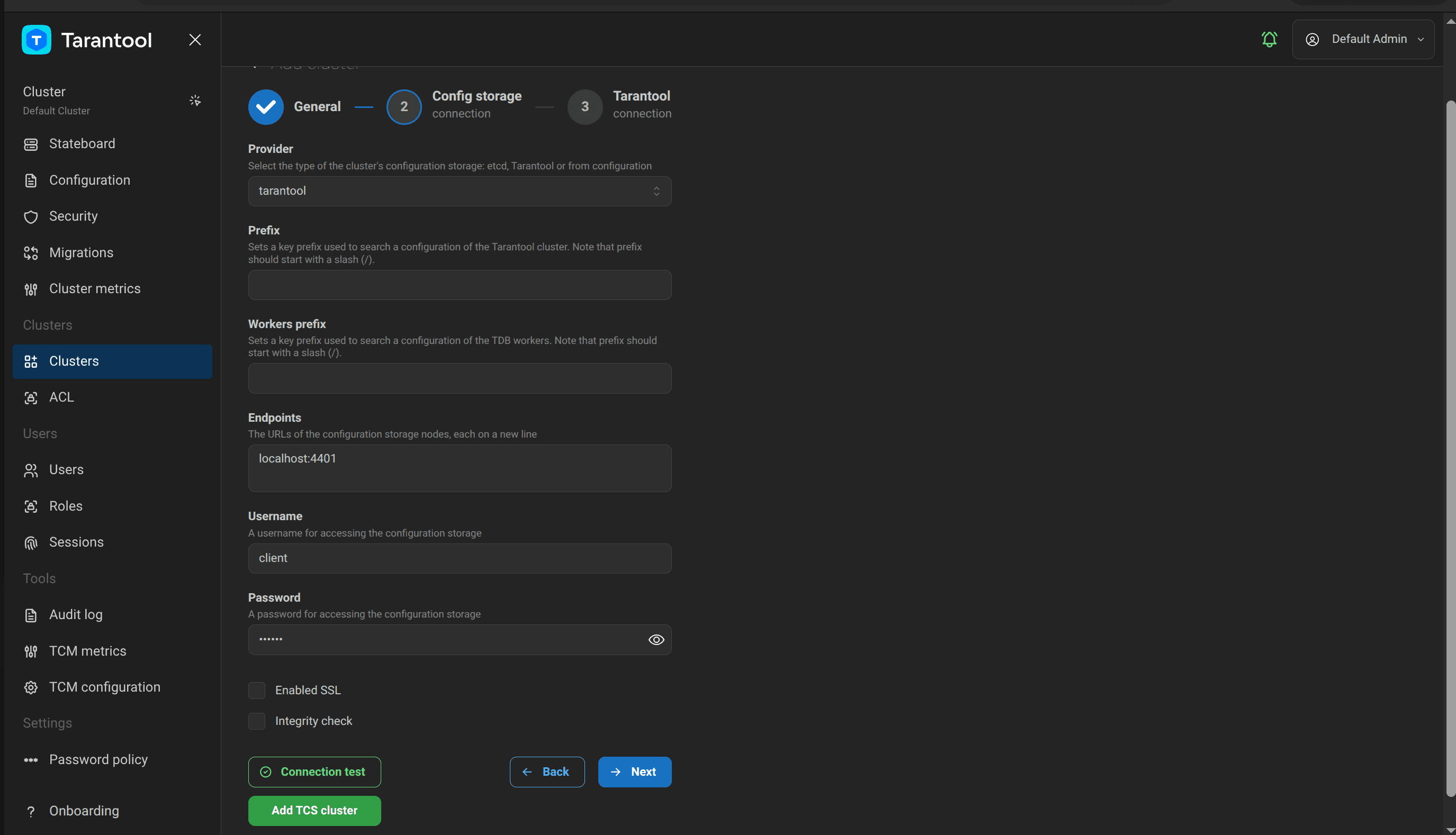
To enable integrity check for a cluster, select the Integrity check checkbox at the Config storage connection step of the cluster creation or editing wizard. The checkbox is available for the etcd and tarantool providers. For the from configuration provider, it is hidden because such a cluster has no separate centralized configuration storage whose integrity could be checked.
You can also enable integrity check and set the key for a cluster in the initial-settings.clusters section
of the TCM configuration file, using the integrity-check and signature-private-key-file options
of the corresponding cluster:
# tcm.yamlinitial-settings:clusters:- id: 20000000-0000-0000-0000-000000000001name: Cluster 1description: Primary clusterstorage-connection:provider: etcdetcd-connection:endpoints:- http://localhost:2379prefix: /cluster1username: ""password: ""tls:enabled: falsetarantool-connection:username: adminpassword: ""method: passwordtimeout: 5srate-limit: 600integrity-check: truesignature-private-key-file: path/to/private.pem
The options described in this section set the integrity check key for TCM's own data (not for clusters). This is the existing setting, and it works as before.
Parameter | Description | Type | Default |
|---|---|---|---|
Enables signature validation |
|
| |
Path to the private key for signing configuration |
|
|
Integrity check can be enabled directly in the TCM configuration file:
# tcm.yamlsecurity:integrity-check: truesignature-private-key-file: /etc/tcm/private_key.pem
If integrity check is enabled and data is modified bypassing TCM – for example, directly in the storage (etcd or a Tarantool cluster) – the data signature no longer matches the expected one. The consequences depend on which data was modified:
-
TCM's own data (users, roles, ACL permissions, and other objects in the TCM storage). The next time the modified data is accessed, TCM detects the signature mismatch and blocks the web interface, showing an error like this:
content integrity check failed: integrity verification failed: signature verification failed for "rsapss":hex verifier: failed to verify: crypto/rsa: verification error -
Centralized configuration of a cluster with integrity check enabled. An integrity error is shown on the configuration page of this cluster and on the Stateboard page. The TCM web interface is not blocked: TCM and the other connected clusters keep working.
To fix the error, re-sign the data with the ./tcm resign-data command. Pass the TCM storage connection parameters
the same way as when starting TCM: with the --config option or the TCM_STORAGE_TARANTOOL_* /
TCM_STORAGE_ETCD_* environment variables. The command re-signs both TCM's own data and the centralized
configurations of the clusters, each with the key configured for the corresponding cluster. After the command
completes, refresh the page in the TCM web interface. It should load without integrity errors.